
A week that fits your team.
Add shifts yourself, use a saved pattern, or review an automatic proposal built around employee rules.
HOTEL STAFF SCHEDULING, BEAUTIFULLY ORGANIZED
Bring your people, shifts, and communication together. Build the week your way, keep each department organized, and give every employee a clear view of what comes next.
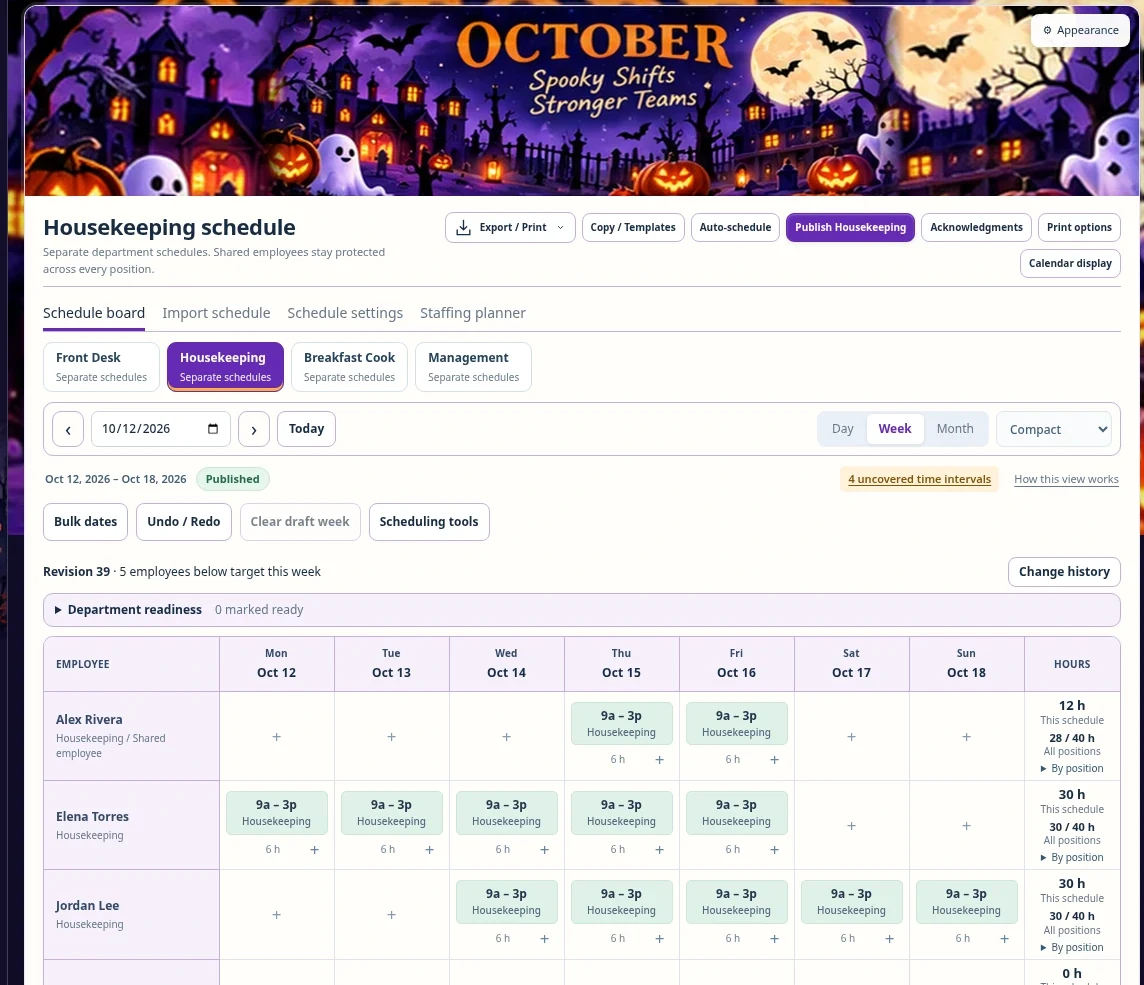
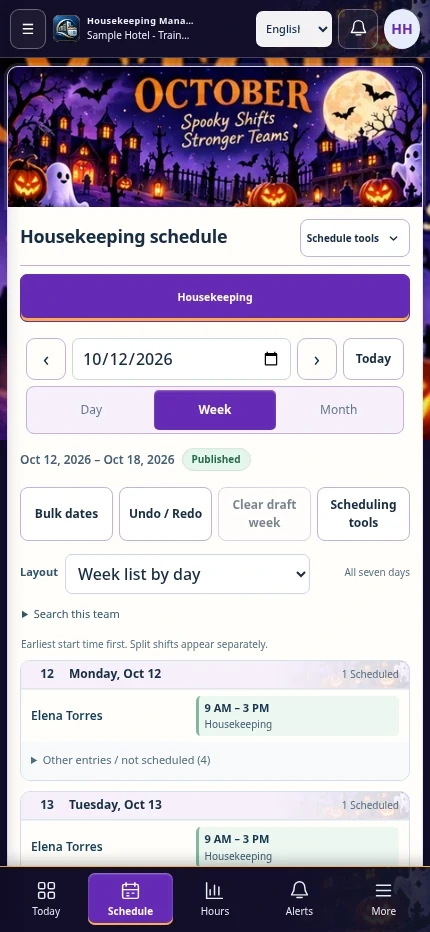
Actual application screens · Fictional training records
ONE SYSTEM. A CLEARER WAY TO SCHEDULE.
Plan by department. Protect shared employees from overlapping shifts. Keep draft changes private until you are ready to publish.
Add shifts yourself, use a saved pattern, or review an automatic proposal built around employee rules.
Check hours, availability, and coverage across the same employee record, even when someone works in two departments.
Publish each department separately. Employees see their own posted schedule, with change highlights and acknowledgment controls.
EVERY DEPARTMENT. ITS OWN PLAN.
A housekeeper can also work Front Desk without a duplicate account. The system keeps a combined weekly limit and checks for overlap across all their positions.
Set morning, evening, night-audit, and custom shifts. Review overnight work and the rest between shifts before publishing.
Illustrative scheduling example
9:00 a.m. – 3:00 p.m.
2:00 p.m. – 10:00 p.m.
One person cannot be in two places.
The proposed Front Desk shift overlaps the Housekeeping assignment.
FROM FIRST SHIFT TO POSTED WEEK
Add employees, positions, hour limits, and availability.
Add shifts, copy a pattern, or generate a proposal.
Check coverage, conflicts, hours, and draft changes.
Post one department. Let the right employees know.
THE LITTLE DETAILS MAKE THE DIFFERENCE
Preview automatic shifts before they become drafts. Clear unwanted generated work from a never-published department week and start again.
Bulk dates, safe undo, and clear draft weekTime off, recurring availability, and same-department shift swaps follow management review.
Requests & swapsPrint a seven-day schedule with shift colors, your logo, and optional seasonal artwork. Export to Excel when needed.
Print & export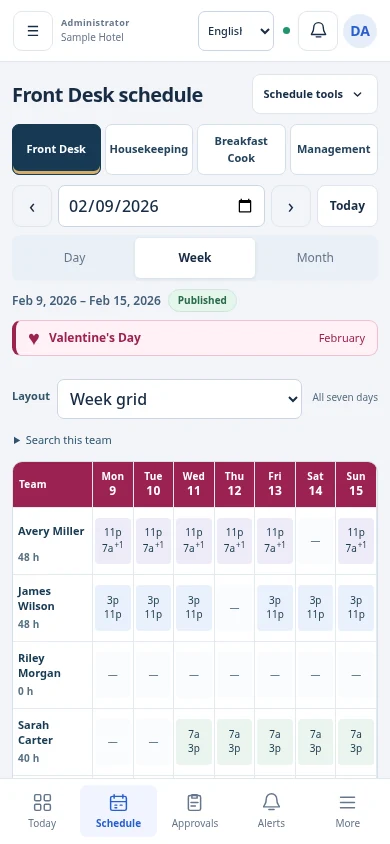
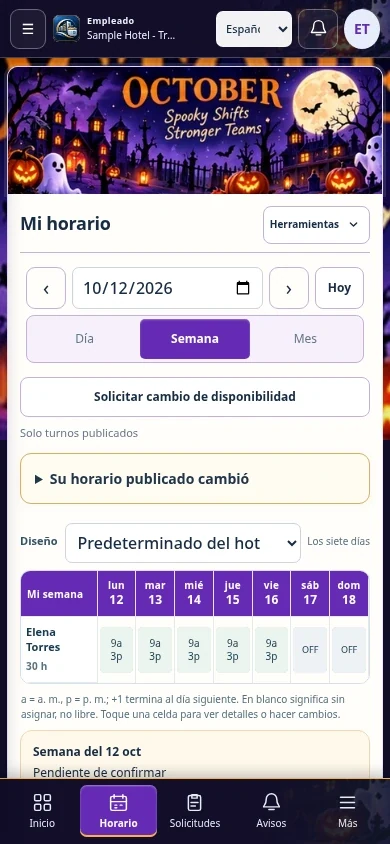
A CLEAR VIEW. WHEREVER THE DAY TAKES YOU.
Four mobile layouts give staff a practical view of their week. Management chooses the available layouts and defaults; employees always stay within their own permissions.
CONFIDENCE STARTS WITH KNOWING HOW
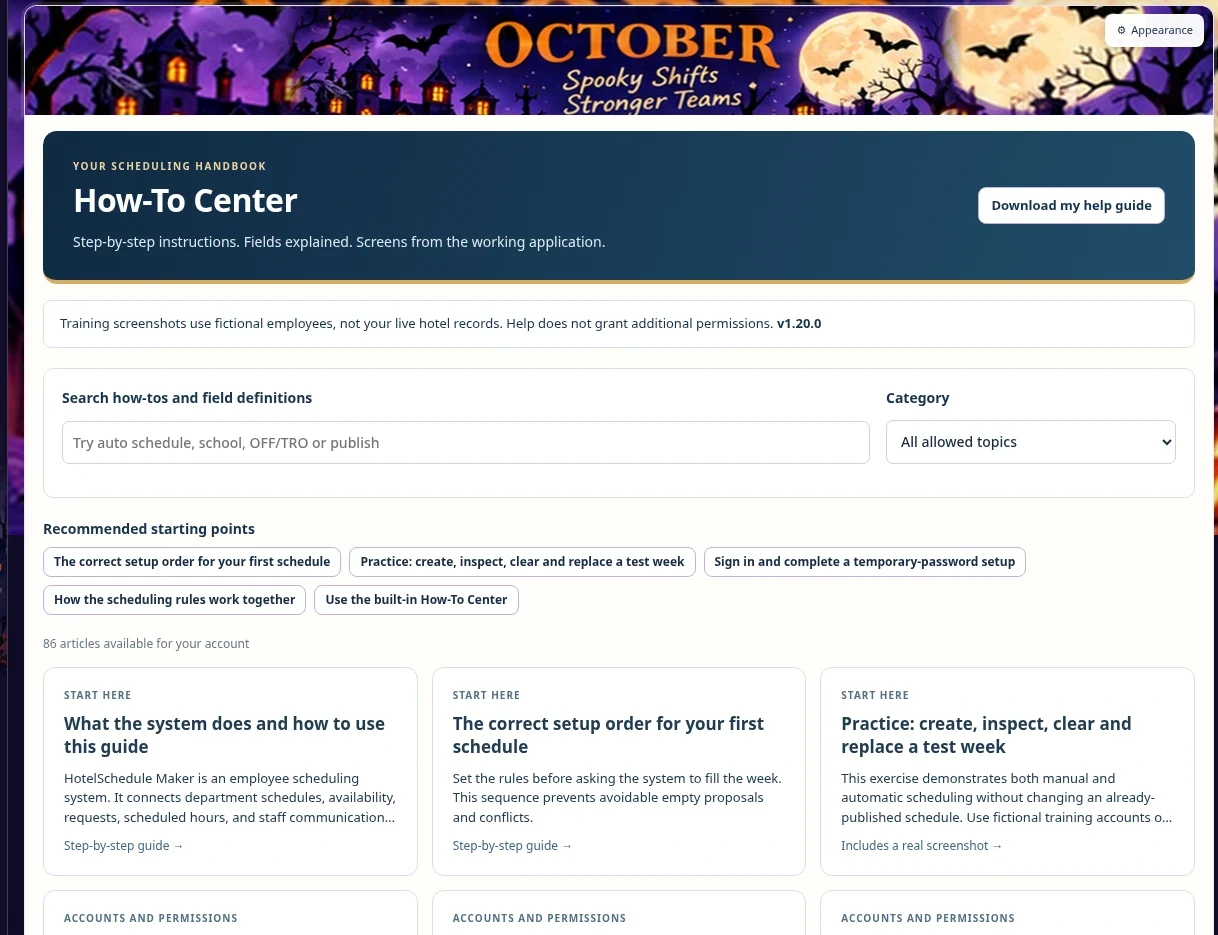
The built-in How-To Center explains the controls, the rules, and the workflow. Follow numbered steps, inspect real screenshots, and search for the next task.
 Enlarge
MAKE THE NEXT WEEK A CLEARER ONE
Existing staff sign in with their own account.
New employee accounts require management approval.